

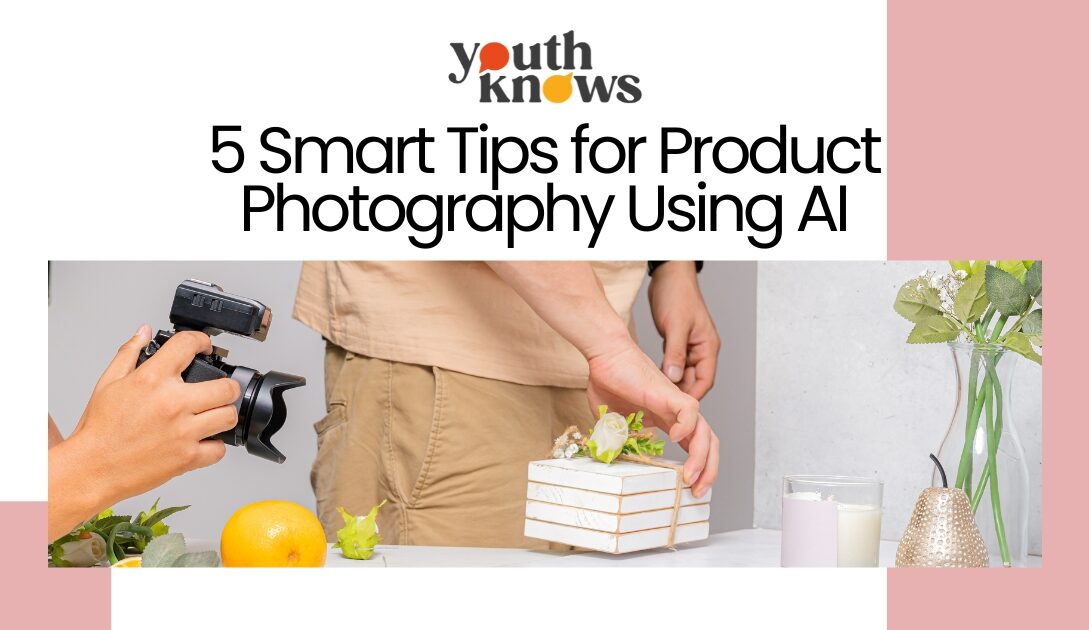
Standard product photography for eCommerce costs between ₹5,000 and ₹20,000 per batch. You can save thousands of rupees with these smart tips for product photography using AI.
Product shoots no longer need expensive cameras, studios, or endless reshoots. Using AI for product photography has changed the game for small brands, creators, and even side hustlers. With just a phone photo and the right AI tools, you can now create clean, aesthetic, scroll-stopping visuals that look studio-ready. No lights. No props. No stress.
Today, product photography using AI is not about replacing creativity. It is about removing friction. AI helps you fix backgrounds, improve lighting, add lifestyle scenes, and maintain brand consistency without burning money or time. For new brands and creators trying to look premium on a budget, this shift is a blessing. And yes, big brands are already using it quietly.
Table of Contents
5 Smart Tips for Product Photography Using AI
1. Submit Raw, Basic Photos of Your Product
AI is powerful, but it cannot fix a bad base image. Always upload a raw, simple photo of your product. Clear focus, natural light, and zero filters work best. Even a phone photo is enough if it shows the product clearly.
When you start product photography using AI with a clean image, AI understands the shape, texture, and details better. This helps it enhance lighting, shadows, and background without distorting the product. A cluttered or heavily edited photo confuses the system and ruins output quality.
For example, if you are selling a perfume bottle, place it near a window on a plain table and click the photo. No props. No dramatic lighting. Let AI handle the transformation later. The simpler the input, the more professional the final image looks.
2. Write a Clear, Professional Photoshoot Prompt
AI does exactly what you ask. So your prompt matters more than you think. Instead of vague instructions, describe the photoshoot like a real photographer would. Mention lighting style, mood, camera angle, and finish.
When using AI for product photography, a good prompt can turn an ordinary image into a premium-looking shoot. Say things like “soft studio lighting,” “natural shadows,” or “luxury cosmetic ad style.” This gives AI direction and avoids random or unrealistic results.
For example, for a skincare cream, you can prompt: soft daylight, minimal shadows, clean beauty brand aesthetic, high-end studio look. The output feels intentional, polished, and brand-ready instead of AI-generated.
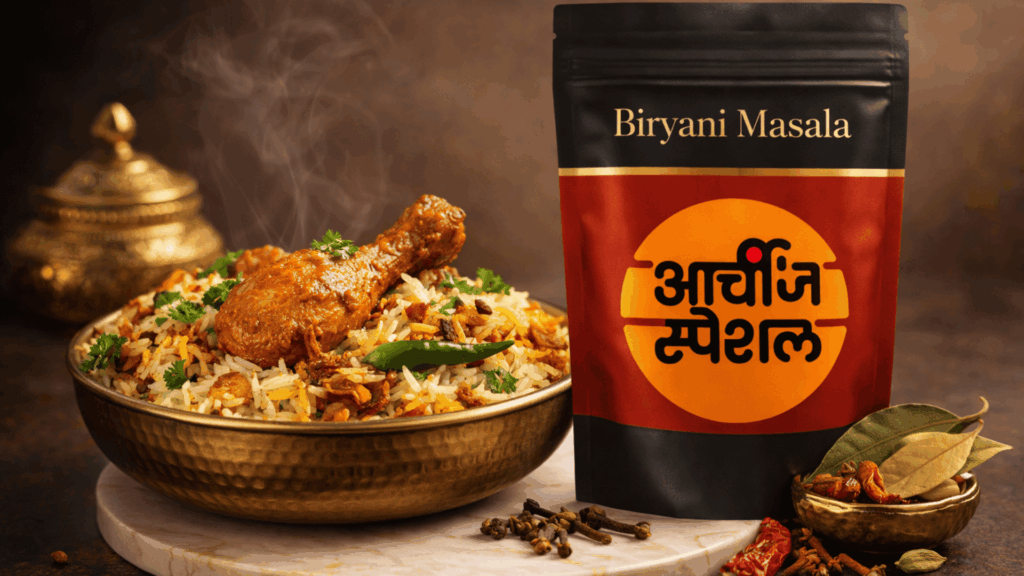
Prompt Example: Modern Food Brand Product Photography
“Create a premium horizontal (16:9) product photography shot for a Biryani Masala brand. The masala packaging should be placed on the right side of the frame, standing upright on a light marble base. The packaging must feature the exact attached logo, clearly visible, sharp, and centered on the pack. The focus should be slightly stronger on the packaging to highlight brand identity, premium material, and clean edges, while still maintaining balance with the food styling. The pouch should appear matte with rich, deep tones, subtle gold accents, and a refined, export-quality finish.
On the left side, place a bowl of hot chicken biryani in an elegant brass bowl. The biryani should look freshly cooked with visible steam rising, long-grain rice, a well-coated chicken leg piece on top, fried onions, coriander, and a green chilli for freshness. The food should look indulgent and aromatic but slightly softer in focus than the packaging to keep the product as the hero.
Near the packaging, style whole biryani masala ingredients in a clean and intentional way. Include cloves, dry red chillies, bay leaves (tej patta), cardamom, cinnamon sticks, and a small brass bowl with ground masala. Keep the background warm and textured with earthy brown tones, soft shadows, and cinematic lighting. The overall mood should feel rich, traditional, and premium, similar to high-end Indian food brand campaigns, with controlled lighting, shallow depth of field, and a luxurious, appetising finish.”
3. Ask AI to Add Relevant Elements
AI works best when you guide it with context. Do not randomly add props. Ask AI to include elements that explain the product story. This makes product photography using AI look intentional, not decorative.
Relevant elements help customers instantly understand what the product is about. If it is a skincare product with almond and saffron, show almond kernels and saffron strands placed naturally near the bottle. Keep them subtle. The product should remain the hero.
For example, a coffee brand can show coffee beans and a warm wooden surface. A hair oil can include fresh herbs used in the formula. These small details add meaning, improve visual appeal, and increase trust without overwhelming the image.
Prompt Example:
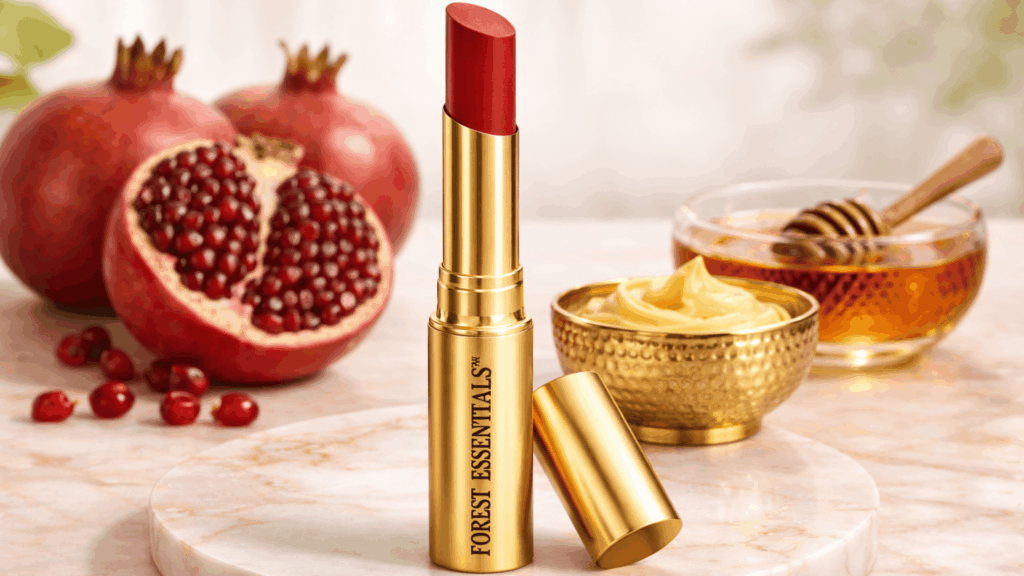
Create an ultra-luxury horizontal (16:9) product photograph of a Forest Essentials lipstick. The lipstick should be placed center-forward, standing upright on a round white marble base with subtle gold veining. The cap should be positioned diagonally near the base with a slight tilt, adding elegance without distracting from the product. The brand name “FOREST ESSENTIALS” must be perfectly sharp, upright, and clearly readable on the gold casing, with no blur, distortion, or glare.
Use soft, natural daylight-style lighting to achieve a bright and premium look. The key light should come gently from the front-left, evenly illuminating the lipstick, while a subtle fill light balances shadows without flattening the image. Avoid any dark or dramatic lighting. The gold casing should appear as brushed metal with refined highlights, not overly glossy or plastic-like.
The background should be clean and warm, in ivory or off-white tones with a very soft gradient and gentle bokeh. The overall environment should feel calm, spa-like, and luxurious, with no clutter or strong contrast, allowing the product to remain the hero.
Style the ingredients in a refined, premium way. Place one cut pomegranate with rich, glossy ruby seeds near the lipstick, along with one or two whole pomegranates positioned close by. Add a few loose seeds near the base for natural detail. Present the ghee in an elegant, textured antique brass bowl with a creamy swirl that looks rich and indulgent. Keep the honey in an open, clear glass bowl placed near the ghee, showing warm amber tones and natural shine, with a wooden dipper resting softly inside. All elements should complement the lipstick and never overpower it.
Maintain a warm, luxurious color palette featuring gold, ivory white, soft red, ruby, and honey amber tones. Avoid harsh yellows or oversaturated reds. Capture the image as if shot on an 85mm lens with a shallow depth of field, ensuring ultra-realistic, high-resolution commercial beauty photography. The final image should feel elegant, calm, expensive, and export-quality, reflecting a premium Ayurvedic luxury beauty brand aesthetic.
4. Choose Backgrounds That Match the Product and Campaign
Backgrounds set the mood before anyone notices the product. Always choose a background that aligns with your campaign goal. When using AI for product photography, this step decides whether your image looks premium, playful, or everyday.
For a luxury product, go with marble textures, muted tones, or dark gradients. For a fresh or everyday product, use light colors, natural surfaces, or soft lifestyle setups. AI can create these environments instantly if you specify the vibe clearly.
For example, a premium perfume works well on a dark, moody background with soft highlights. A wellness product looks better in pastel or nature-inspired settings. The right background makes the product feel right without saying a word.
5. Avoid Over-Editing
AI makes it tempting to keep refining the image again and again. Resist that urge. Over-editing removes realism and hurts trust. Clean always performs better than dramatic.
In product photography using AI, the goal is enhancement, not transformation. Keep textures natural. Let shadows breathe. Do not oversmooth, oversharpen, or add unrealistic glow effects.
For example, if a fabric product starts looking plastic or a skincare bottle looks digitally painted, stop. A believable image sells faster than a perfect-looking one. When people trust what they see, they are more likely to buy.
Final Words
AI has changed how brands approach visuals. It saves time, cuts shoot costs, and removes the dependency on studios, photographers, and repeated reshoots. With the right inputs, product photography using AI helps even small brands create professional images in minutes instead of weeks.
More importantly, AI gives you freedom. You can experiment faster, test different looks, and stay visually consistent across platforms without stretching your budget. That is a big win for creators, startups, and D2C brands trying to scale smartly.
If you want more practical guides on AI, content, and digital growth, keep following YouthKnows. We break complex trends into simple, usable insights that actually help you move forward.









[…] 5 Smart Tips for Product Photography Using AI […]